🎙 A voice layer for your Mac

Hold §
and talk.

SpeakFish types what you say into any app, runs your apps by voice, reads things back to you, chats with you as a goldfish and remembers your day. Speech is transcribed on your Mac.

Try the § key ↓

Turn your sound up. Yes, there is an opera.

Listening
§ Dictation

Say it messy.
It lands clean.

Hold §, talk however it comes out, let go. The ums, false starts and repeats go; the meaning stays. The text lands in the field you started in, even if you switched windows, and fits where it's going: a prompt for Claude Code, an email, a chat message.

hold it (or your § / ` key)

Claude Code
HOLD § TO TALK
What you say shows up here, word by word.
prompt
🎚 Four moods of a fish

It hears you.
You choose what it does.

🐠 Chat mode

Talk to the goldfish.

Say “SpeakFish, let's chat” and the fish answers out loud. It picks from about 2,400 library lines, on your Mac, in well under a second. It can also book, move and check appointments.

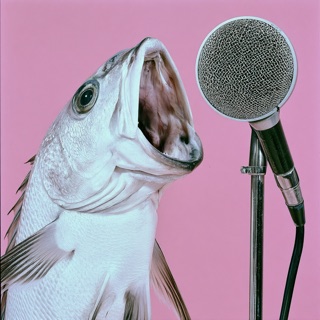
SpeakFish, a fish singing into a microphone
Go on, land creature, say something. 🫧
✨ Everything it does

One fish.
Many tricks.

🌐

Your browser, by voice

Say a whole errand in one breath. Each step runs in your browser while you watch, and you can stop it with a key press. Buttons that send, buy or delete wait for your “yes”, and only your own voice can click.

open Brave
go to YouTube
search for “opera singing fish”
play the second video
🫡

Commands that check first

“Open Figma”, “new tab”, “scroll to the bottom”. Any installed app by name, no setup. A local model on your Mac (d1) makes sure you were talking to the computer, not to a colleague.

🔎

Ask the web

SpeakFish, search the web for… and a card shows the answer with its sources, read aloud. It only searches when you ask by name.

🔊

Read aloud

Selected text, Claude Code's last answer or your day's summary, in a natural voice on your Mac. Say “stop” any time.

📜

Your day as a transcript

Every line labelled Me or Other, with the recording a click away. “Summarise today” turns it into a page. Quiet moments re-check each minute for a surer version.

☕

Ignore background voices

Learn your voice once. In a café, other people's sentences are dropped before they're transcribed, and a denoiser removes the clatter.

📸

Screenshot to your agent

“Screenshot this window to Claude” puts the picture in your coding agent's terminal, ready to send.

🇿🇦

English and Afrikaans

Switch languages by voice. Each gets its own speech model, so “oggend” stays “oggend”.

Soon📱

SpeakFish Remote

Your phone as the microphone, touchpad and screen for your Mac. Hold to talk from across the room. Pairs with a QR code, no ports opened.

📊

Stats overlay

“Show stats” floats live panels: CPU per core, GPU, memory, and what SpeakFish sees right now.

🩺 Doctor Mode

The visit,
written up.

Doctor Mode records only while a visit is open. When it ends, names, numbers and addresses are swapped for placeholders on the Mac, and only then is the summary written.

  • Nothing is recorded between visits.
  • Every finding has to quote what was said, word for word, or it's thrown out.
  • Reads the patient's name and number off the chart on screen.
  • After one click to check them, follow-ups go to the practice's booking service.

In pilot with role-play visits. Get in touch if you run a practice.

🎭 The SpeakFish Opera

Yes, it has a song.

Every product deserves an aria. Ours has a chorus about the keyboard tax.

SpeakFish, SpeakFish
Words come free
SpeakFish, SpeakFish
Set thoughts loose in me
No keyboard tax
No pause, no drag
Just SpeakFish
And the day flies back

🔒 Private by design

Your voice stays home.

Heard on your Mac

Speech is recorded and transcribed on your Mac. Recordings and transcripts stay there.

Only text goes out

Cleanup, summaries and questions you ask are sent as text, with zero data retention and no training.

Decided locally

Which command you meant, which reply the fish says, what's sensitive: a model on your Mac decides.

📬 Early access

Want the fish?

SpeakFish isn't on sale yet. Tell us what you'd use it for (writing, coding, running a practice, or just singing along) and we'll be in touch.

🐟 Email us thys@kastelo.com
♪